

Institutional Spending Pattern Events
INTRODUCTION
Institutional Spending Patterns, like all Spending Patterns, are made up of a list of Commodities, although Institutional Spending Patterns include government payroll Commodities to capture spending on Labor. Because Institutions are Final Demanders, in the case of Institutional Spending Patterns, each Commodity in the Spending Pattern is treated like a Commodity Output Event and will create a Direct Effect.
|
Event Type |
Institutional Spending Patterns |
|
Event Use |
Analyzing general fiscal spending changes |
|
Event Specification ”WHO” |
Federal Government NonDefense Federal Government Defense Federal Government Investment State/Local Govt. Other Services State/Local Govt. Education State/Local Govt. Hospital & Health State/Local Govt. Investment Capital Inventory Additions/Deletions |
|
Event Value “WHAT” |
Total Spending on Goods, Services and Labor |
INSTITUTIONAL SPENDING PATTERN EVENTS
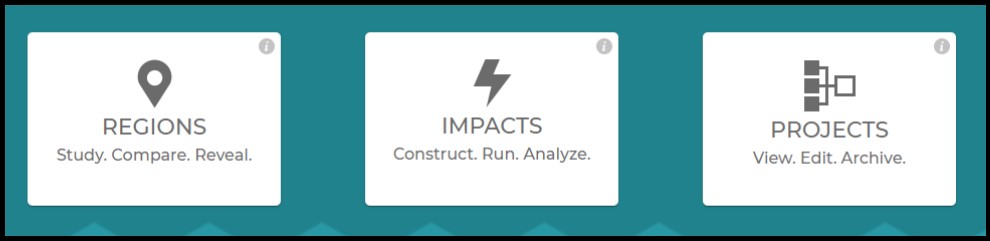
IMPLAN can be accessed via app.IMPLAN.com. Once you are logged in, you will be directed to the IMPLAN dashboard. From the dashboard you can navigate to the Regions, Impacts, or Projects screen.
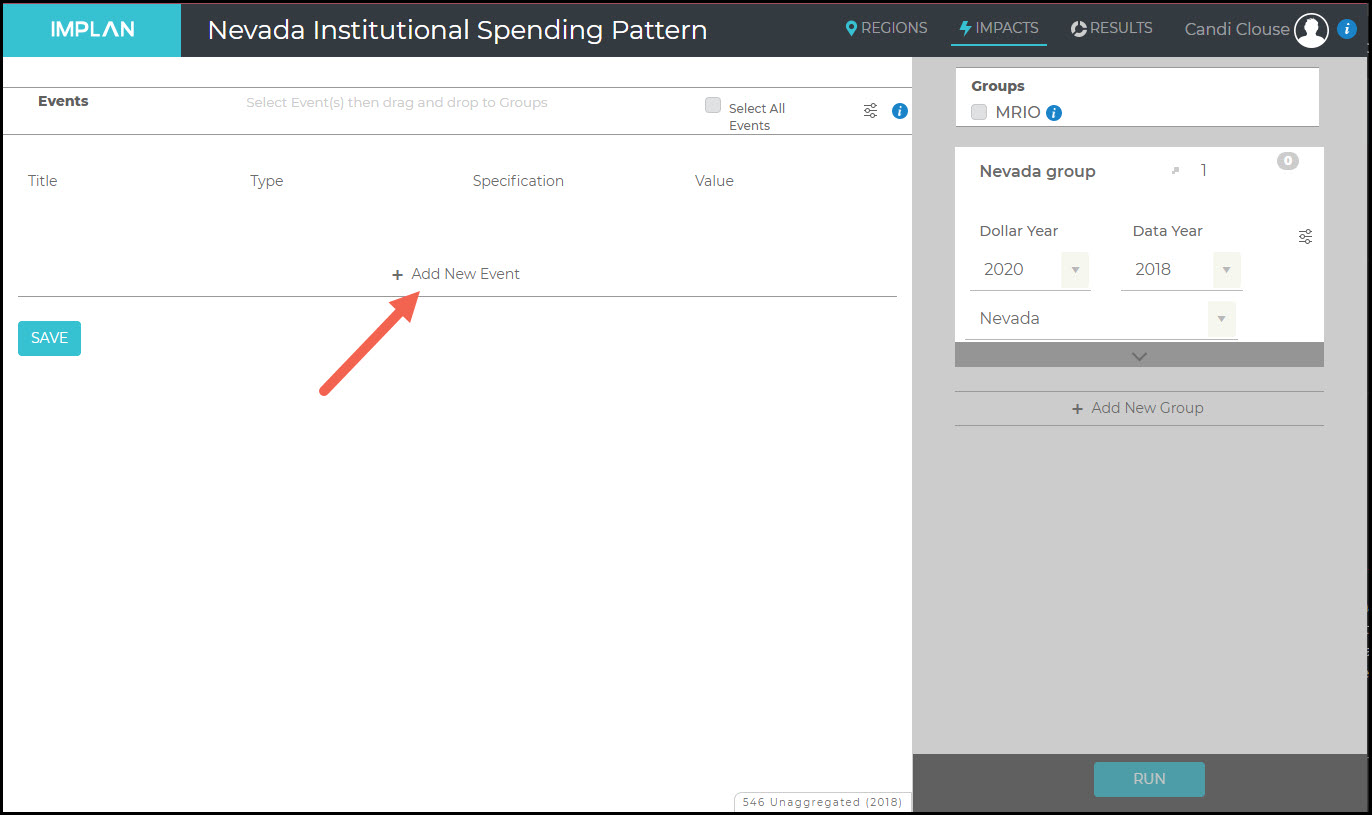
Once you have chosen your Region and named your new Project, you will be directed to the Impacts screen. From here, click on Add New Event to create a Institutional Spending Pattern Event. In this set of examples, 2018 Nevada data is utilized.
Institutional Spending Pattern Events are unique in that they describe both Intermediate Inputs and Value Added within the same Spending Pattern. This results in these Spending Patterns producing ‘mixed results;’ where the reported Direct Effects describe both what we would generally consider Direct Effects (income, Employment and Value Added) and the first-round Indirect Effects that arise from the government spending its budget. Institutional Spending Pattern Events can be edited. Learn more in the article Editing Institutional Spending Pattern Events.
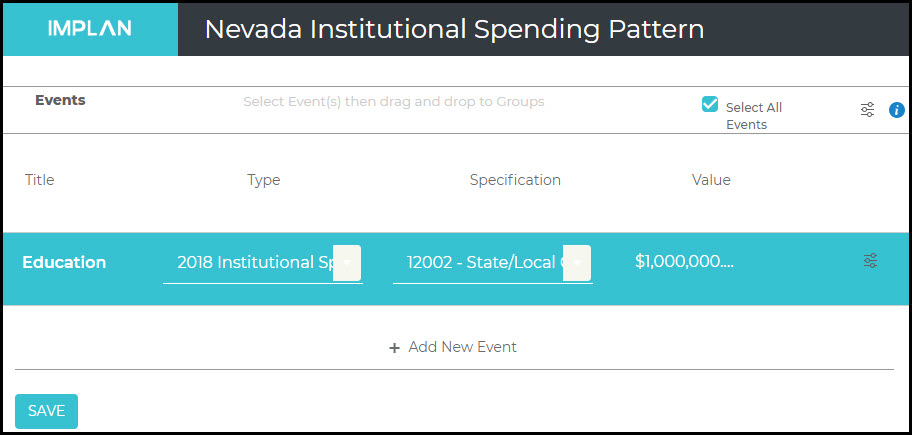
In this example, we want to look at a potential $1M increase in education spending by the government. We will give our new Event a Title, select the Type as Institutional Spending Pattern, the Specification is 12002 – State/Local Government Education, and the Value is $1,000,000.
Now that you have your Event, ensure that it is highlighted in teal by clicking on the Event or checking Select All Events at the top of the screen. Now the Events can be dragged into your Group on the right.
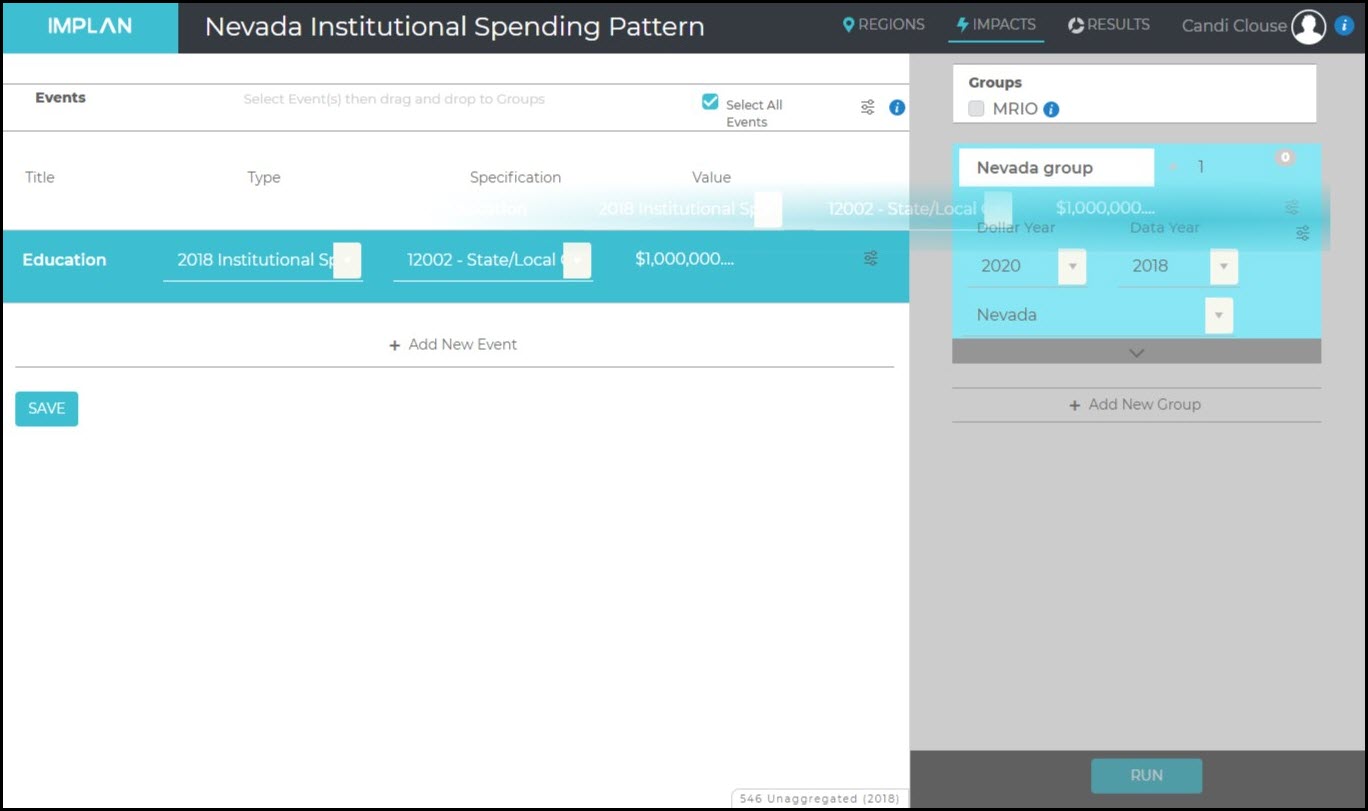
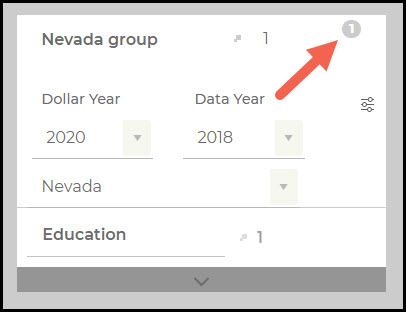
You will know when the Events have populated in the Group when the number in the upper right of the Group box equals the number of Events.
Now click Run in the bottom right of the Impacts Screen.
The Institutional Spending Pattern Event Type represents a general spending distribution for measuring broad Institutional activity in your Region.
RELATED ARTICLES
ABP: Introduction to Analysis-By-Parts


Leave a Reply
Want to join the discussion?Feel free to contribute!